If you expedite permits for a living, you know the email. Subject line: "Any update?" Sometimes it's the architect, sometimes the owner, sometimes a contractor trying to hold a crew for another week. The permit hasn't moved since the last time they asked, and you still owe them a reply.
Multiply that by twenty open permits and a handful of clients, and the morning is gone before you've called a single plan checker. The work that actually moves permits, the follow-up calls, the resubmittals, the counter visits, gets pushed to the afternoon.
The fix isn't typing faster. It's changing what an update is.
Why Clients Keep Asking
Clients ask because permitting looks like silence from the outside. The plans went in, and then nothing. They can't see the city's queue, they don't know what "pending" means, and the only signal they get is you.
So when they don't hear from you, they fill the gap themselves, usually with the worst case. The owner wonders if the project is stuck. The architect wonders if they should have filed it themselves. None of that is fair, but it's predictable. We've written about it from the owner's side; the short version is that no news reads as bad news. The way to prevent it is to make the status visible before anyone has to ask.
What an Update Actually Needs to Say
Strip out the pleasantries, and every status update you've ever written says four things:
- Where it stands. Submitted, in review, comments received, approved, issued.
- What happens next, and when. Resubmittal due Friday. Second review targets fifteen business days.
- Who's holding the ball. The city, you, the architect with corrections, the owner with a signature.
- What changed. A fee, a new condition of approval, an expiration date creeping closer.
That's it. If your updates run longer, the rest is reassurance, and reassurance is what clients stop needing once they can see those four things whenever they want.
Write them down once per permit and you have a status. Keep them current and you have a standing status report, with no email attached.
Keep One Record, Not One Per Client
The reason updates eat the day is that most expediters keep the status in their head, or in a spreadsheet, and rebuild it in prose for each person who asks. The architect gets one email, the owner gets a slightly different one, and the contractor calls because they weren't on either.
Keep the four items in one place per permit, and change that place when something happens, not when someone asks. Then the record is the update. Anyone who wants to know looks at the record, and the email, if you still send one, is a link to it.
That does more than save time. Everyone on the job sees the same status at the same moment, so the owner isn't hearing "approved" from you and "still in review" from the architect, who's reading last week's email.
Where Permitful Fits
This is the problem Permitful's client dashboards were built for.
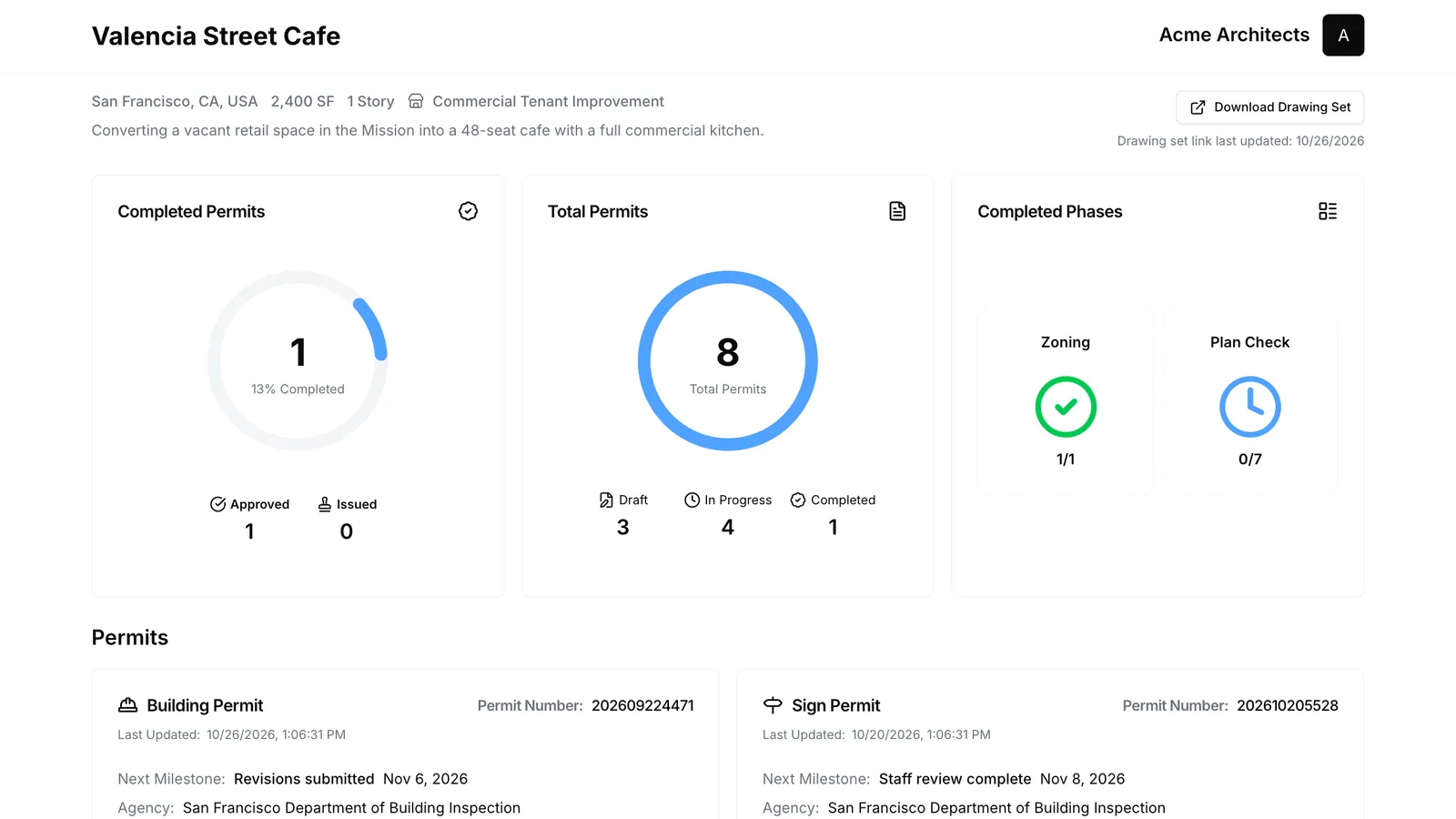
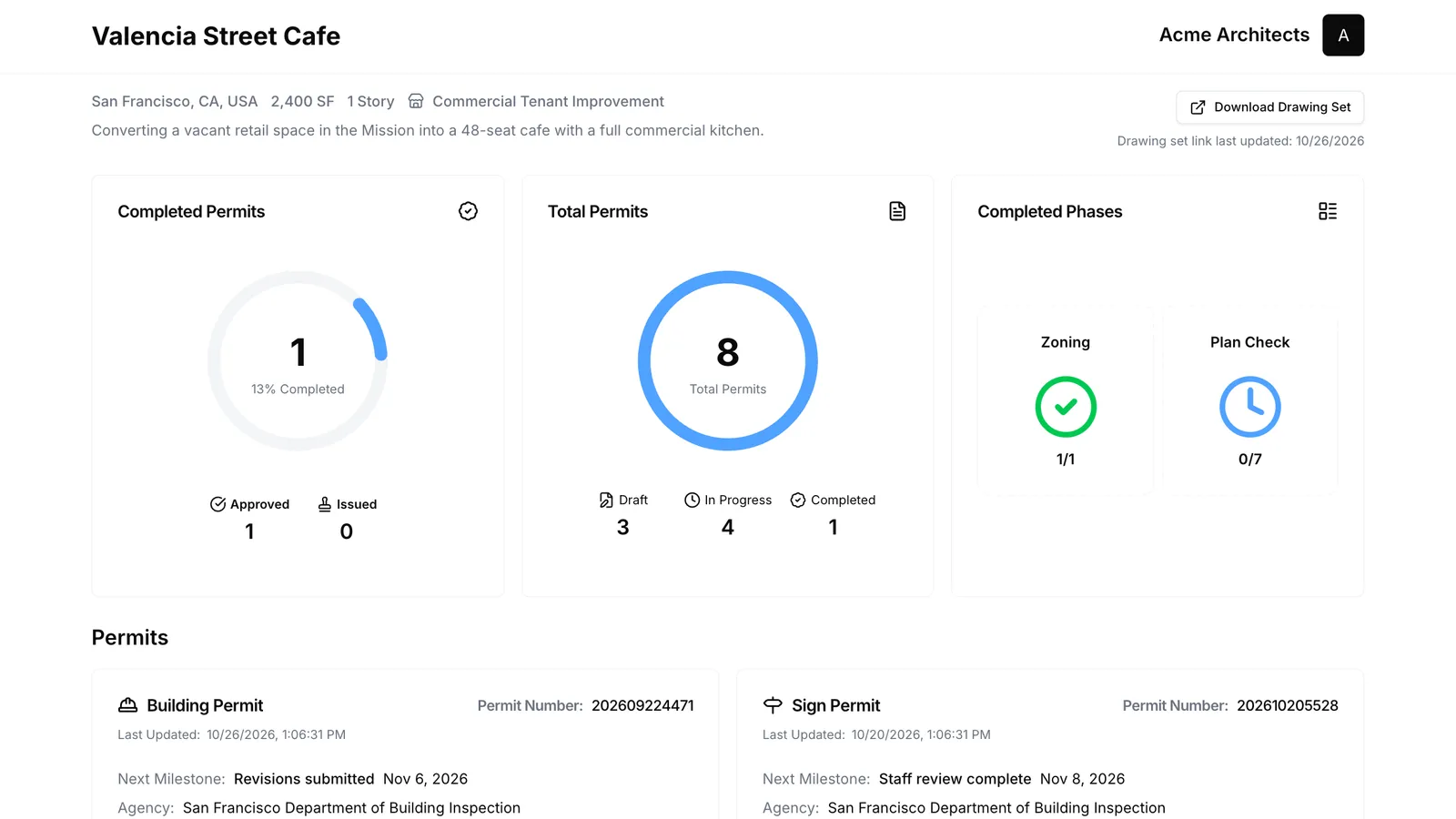
Every project in Permitful has a dashboard you can turn on and send as a link. The client opens it, with no login, and sees each permit on their project, its status, its milestones with dates, and its fees, under your name. When you mark a permit issued or tick off a milestone, the dashboard shows it. You've given an update without writing one.
A few things that matter for an expediting practice:
- Each client sees only their project. Your other clients and their permits are never on the page.
- Your reminders stay yours. Every new milestone starts private, so a reminder to yourself, or a date from the standard milestones that the city hasn't confirmed, stays off the client's page until you choose to show it. Milestone notes are never shown at all.
- It's one link for the life of the project. The owner can forward it to their lender, and the architect can keep it in the project folder, and it still works when the permit is issued.
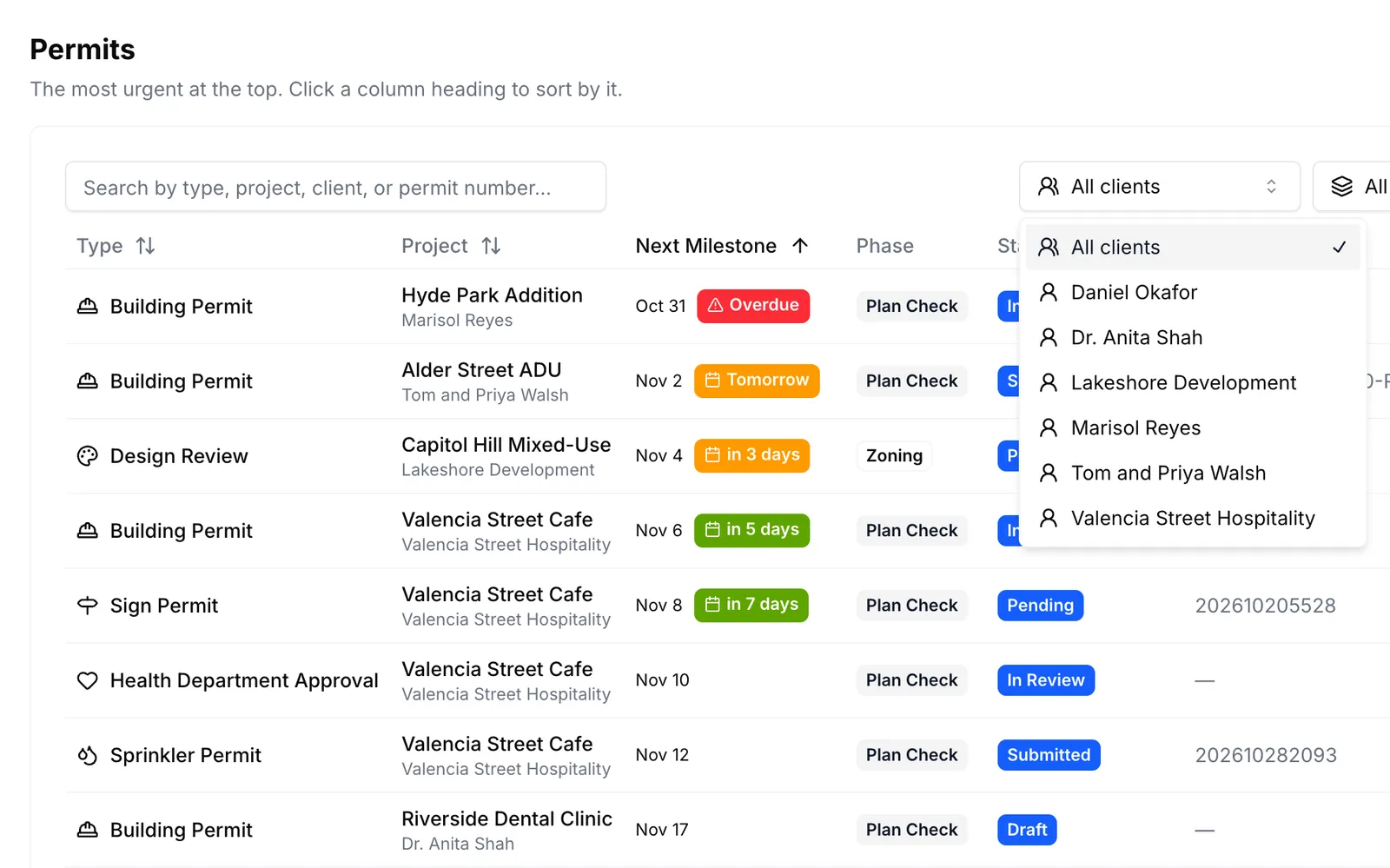
- You keep the whole caseload. Your own view is every permit across every client, sorted by what's due next, with a warning on any permit within thirty days of expiring. Filter it by client, or by who the next milestone is waiting on: you, the agency, or anyone on the project's team, from the architect with corrections to the owner with a signature. That's the third item on the list above, answered for every permit at once, and it stays on your side. The dashboard is the client's view of their slice of it.
What's left is the one message worth sending: the one that says something changed and here's what it means. Those are the updates clients actually value, and now you have the morning to write them.
Your first project is free. Client dashboards come with Pro, along with unlimited projects and a calendar feed of every milestone and permit expiration; see pricing, or look at an example dashboard first. There's more on how Permitful fits an expediting practice on the permit expediters page.